
Adjust The Privacy Controls Of The Post Hub
Just like you can make certain pages on your Nucleus Website hidden or private, you can change the privacy settings of your entire Post Hub. (You can also adjust privacy settings for each individual Post. Click here to learn more about that.) These settings can ensure a range of privacy from your Post Hub not being indexed in search engines all the way to requiring a Nucleus login and password (and the correct permission on their profile) for someone to access your entire Post Hub.
Most churches will not need to adjust the privacy settings for their entire Post Hub, and setting an individual Post or playlist to hidden or private will suffice. However, for the few churches who need it, let's dive into how to adjust the privacy settings for your entire Post Hub.
In this guide, we'll cover the following topics. Click on any one to jump ahead.
Choose The Privacy Level Of Your Post Hub
To access privacy controls for your Post Hub start by going to Posts and then clicking on Post Hub. Then select Privacy Controls on the left hand side.
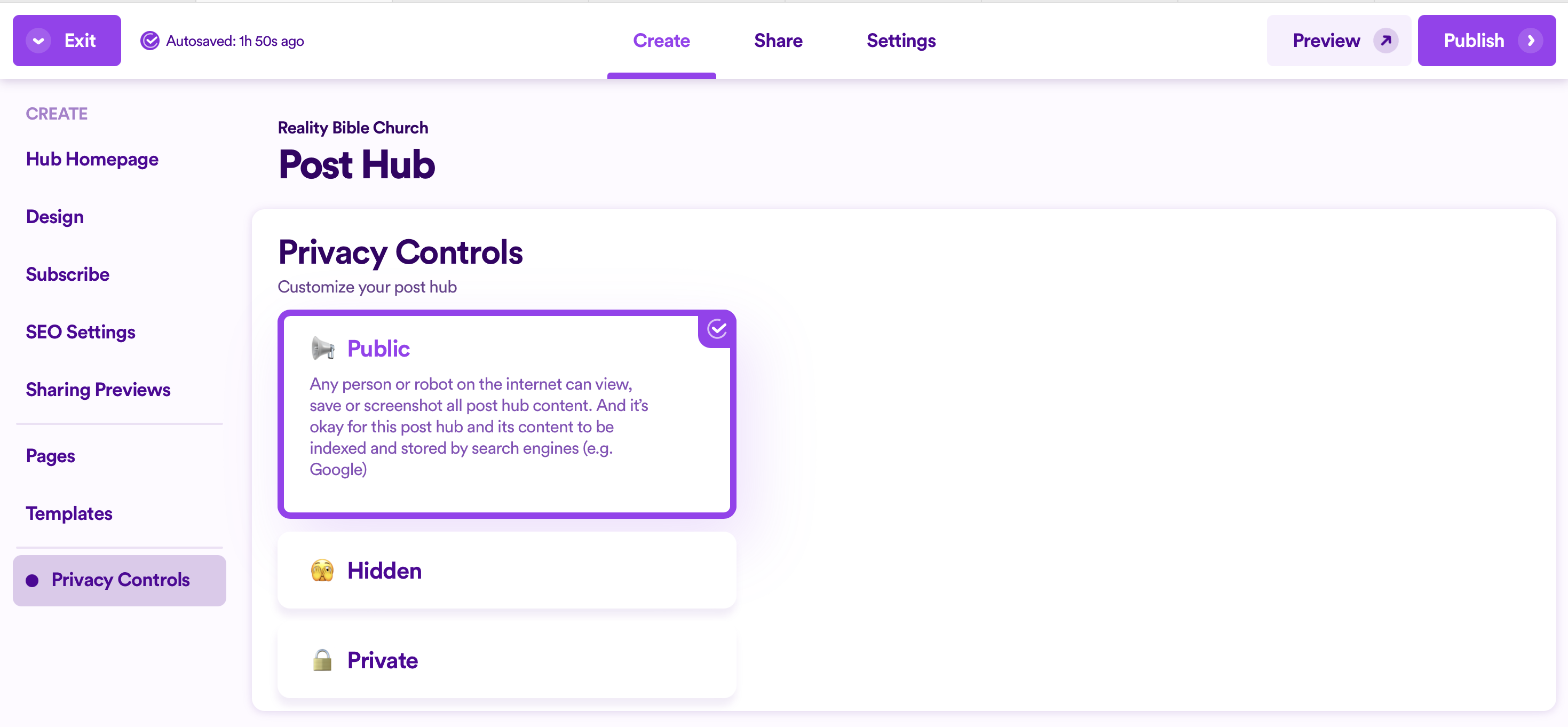
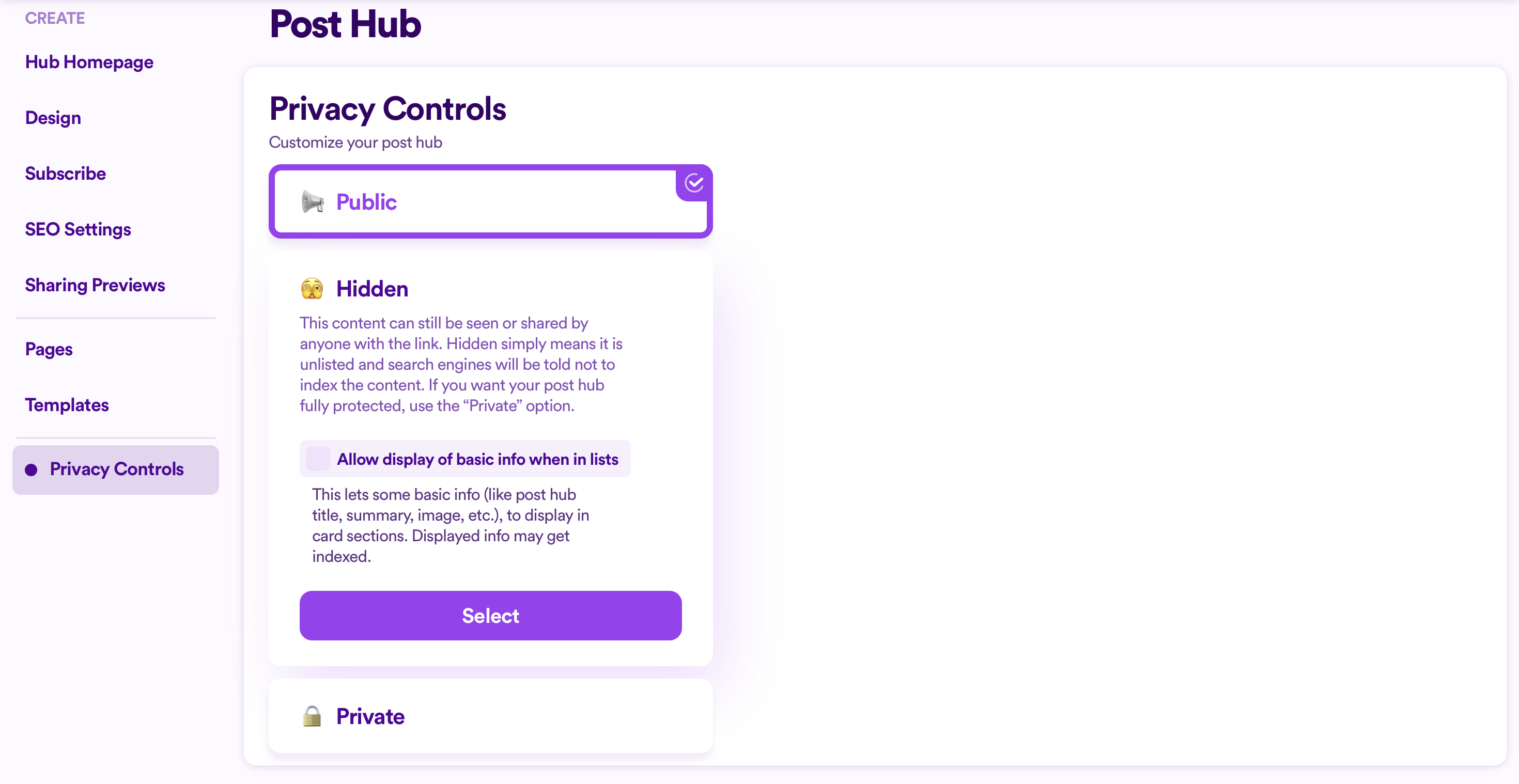
There are three privacy levels available:
- Public - Any person or robot on the internet can view, save or screenshot all page content. And it’s okay for this page and its content to be indexed and stored by search engines (e.g. Google)
- Hidden - This content can still be seen or shared by anyone with the link. Hidden simply means it is unlisted and search engines will be told not to index the content. If you want your page fully protected, use the “Private” option.
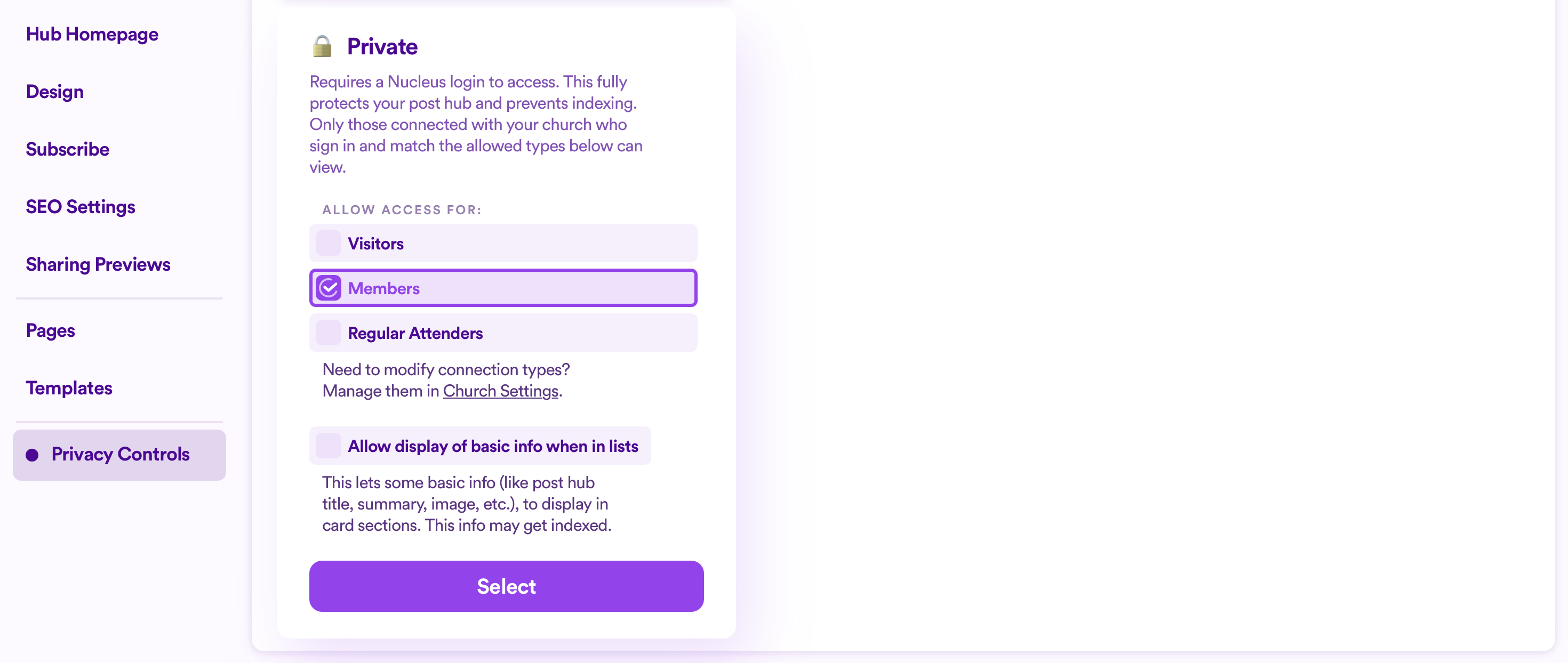
- Private - Requires a Nucleus login to access. This fully protects your page and prevents indexing. Only those connected with your church who sign in and match the allowed permission types can view.
Below these privacy levels, you can edit the message that someone will see when they try to access content that they do not have permission to view.
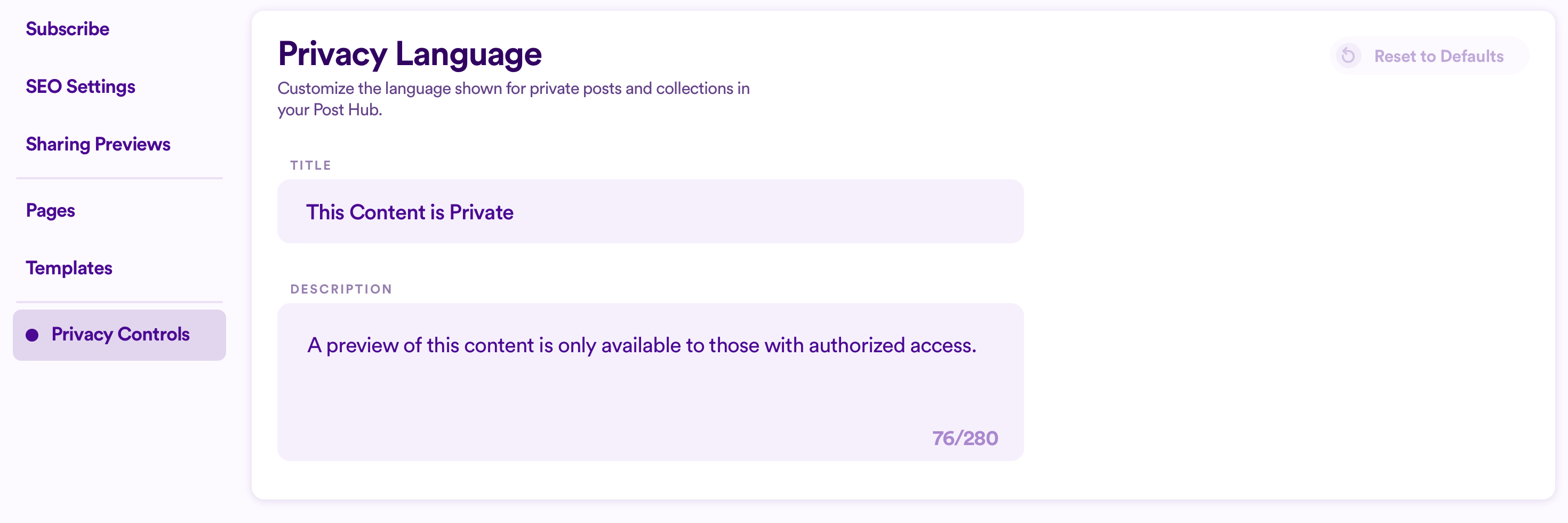
Once you've selected a privacy level and are happy with the Privacy Language, make sure to publish your changes so they're reflected on your Post Hub.
Connection Types & People Records (Profiles)
Anyone who lands in your people database has some sort of connection or relationship to your church. Enabling the right Connection Type on each person's profile ensures they gain access (or are limited with their access) to particular parts in Nucleus like the Post Hub.
Connection types are the various ways people can be associated with your church. By default, your Nucleus account has the following three Connection Types:
- Visitor
- Regular Attender
- Member
You can adjust the names of these and even add others if you would prefer. Click here for a deeper dive into Connection Types and how they work within Nucleus.
In the context of the Post Hub and privacy controls, connection types only apply if you decide to choose to set your Post Hub to Private. This requires a Nucleus login to access and fully protects your Post Hub and prevents indexing. Only those connected with your church who sign in and match the allowed connection types can view your Post Hub.
What Next?
Once you're happy with your Post Hub's privacy level, it's probably time to connect your Post Hub to your Nucleus Website and share it with the world! Click below to learn more:
Otherwise, here are a few other guides to help you manage your Posts & Collections: